
Getting started
Sign and get your login
Funded accounts need a signed agreement before they can trade. Then your platform login is on the Statistics page.
Futures accounts
This page covers CFD/Forex logins (MT5, TradeLocker, Match-Trader). For Volumetrica and WealthCharts, see Platforms and contracts.
Evaluation accounts
Evaluation accounts can trade as soon as they appear on the Accounts page. Open the account and press Credentials to see your platform login.
Funded accounts: sign first
Every funded account, including Instant Zero and Instant Funded accounts, comes with a funded trader agreement. Until you sign it, trading is disabled and the account card shows contract pending.
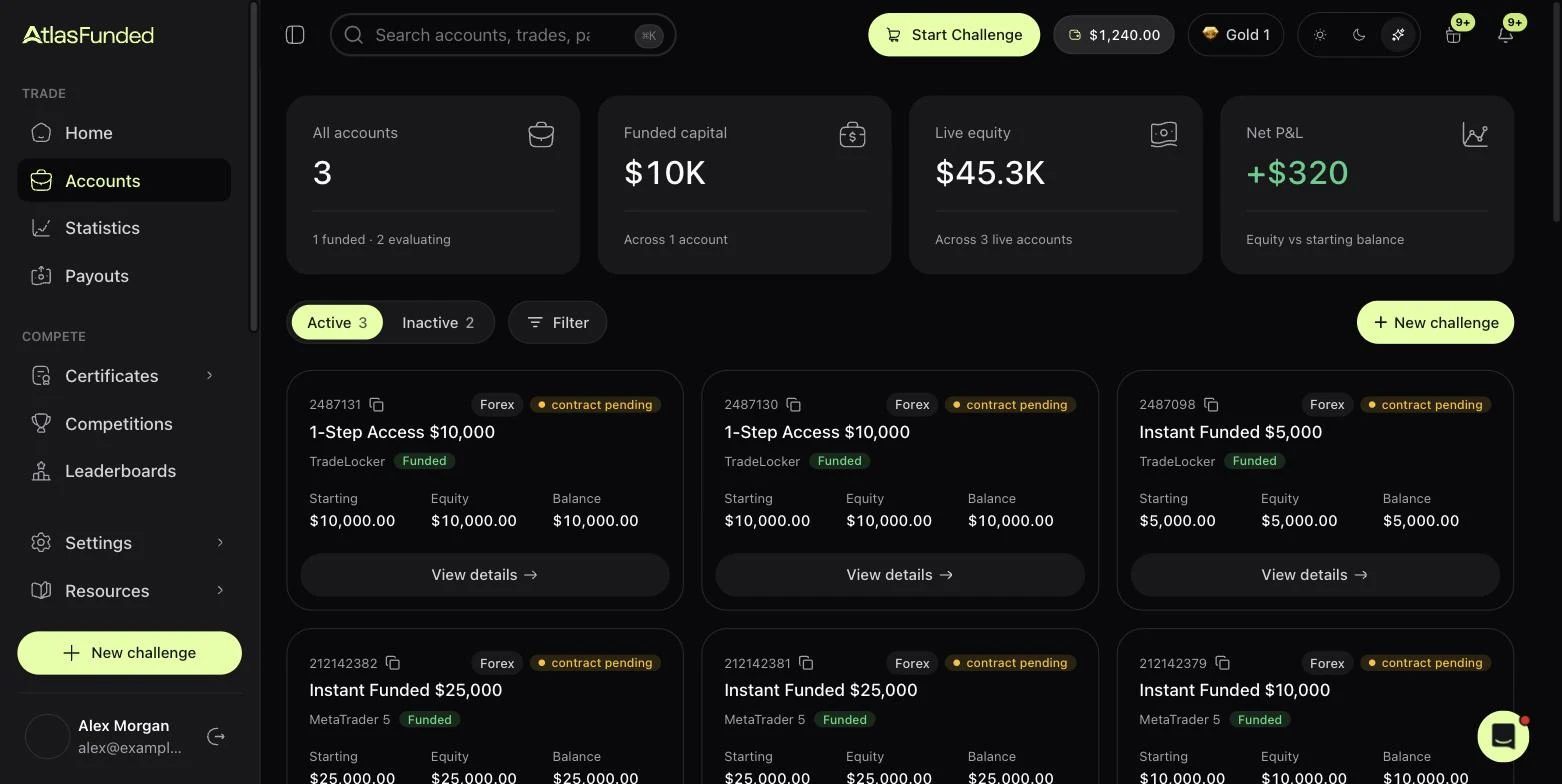
Open the account
Go to Accounts and press View details on the account, or pick it from the account switcher on Statistics.
Sign the contract
The banner at the top says Contract signature required. Press Sign Contract, read the agreement, and sign. Your signed copies are kept under Settings → Contracts.
Wait a few minutes
Once signed, your platform login activates automatically, usually within a few minutes.
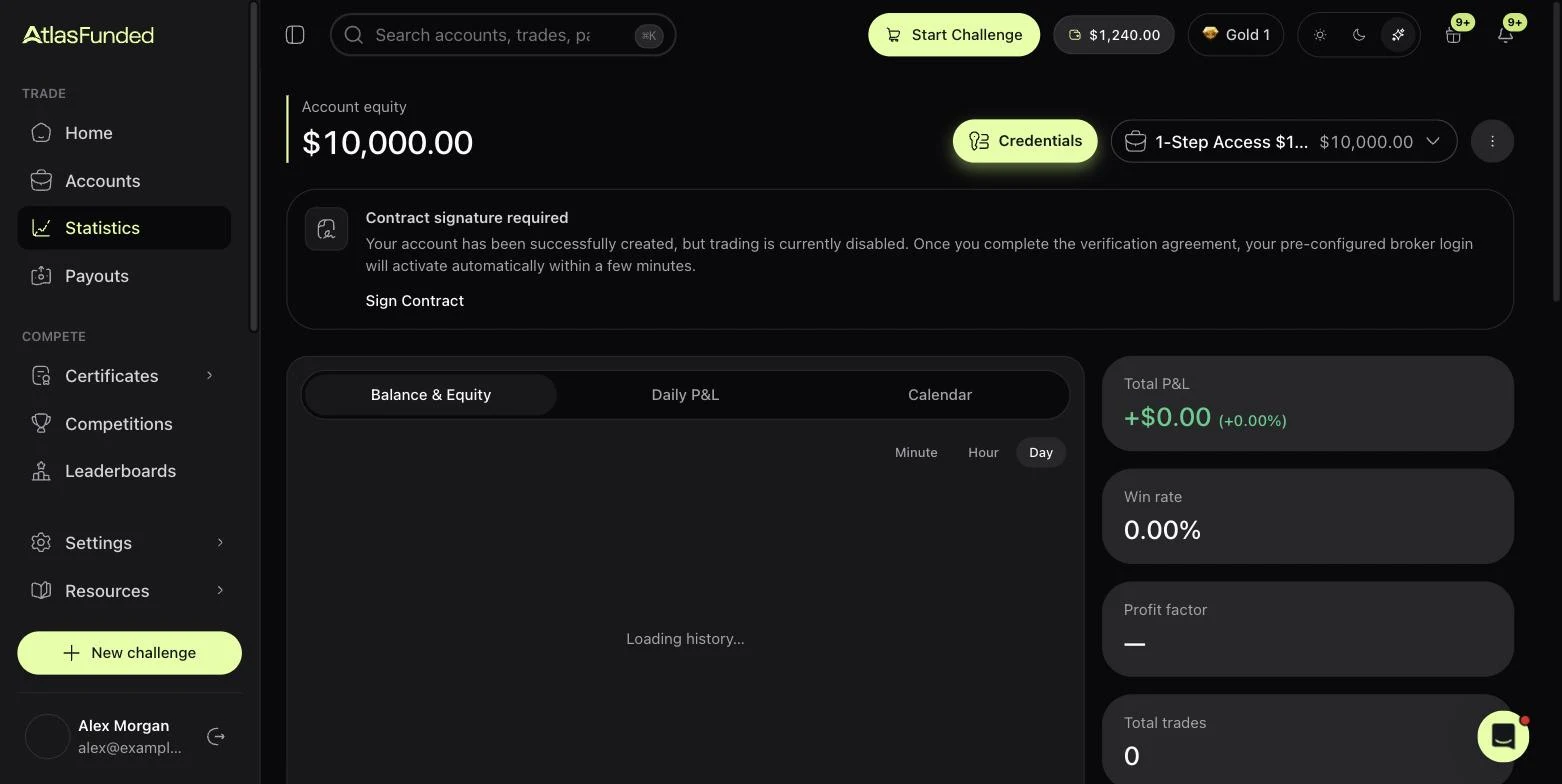
Get your platform login
Press Credentials at the top of the Statistics page. You will see:
| Field | MetaTrader 5 | TradeLocker | Match-Trader |
|---|---|---|---|
| Login | Login (MT5 account #) | Account ID | Login (Match-Trader account #) |
| Server | Server name | Server name | Group |
| Your email | Your email | Your email | |
| Password | Master password | Password | Password |
| Read-only access | Investor password | — | — |
Use them to sign in to the platform. Downloads and web links are under Resources → Downloads. See Trading platforms.
Keep your credentials private
Anyone with your master password can trade your account. Share the MT5 investor password if you want someone to watch without trading.
Last reviewed 27 September 2026. Rules shown are read from the Atlas risk engine.