
Getting paid
Request a payout
A step-by-step walkthrough of requesting a payout in the dashboard.
Open Payouts
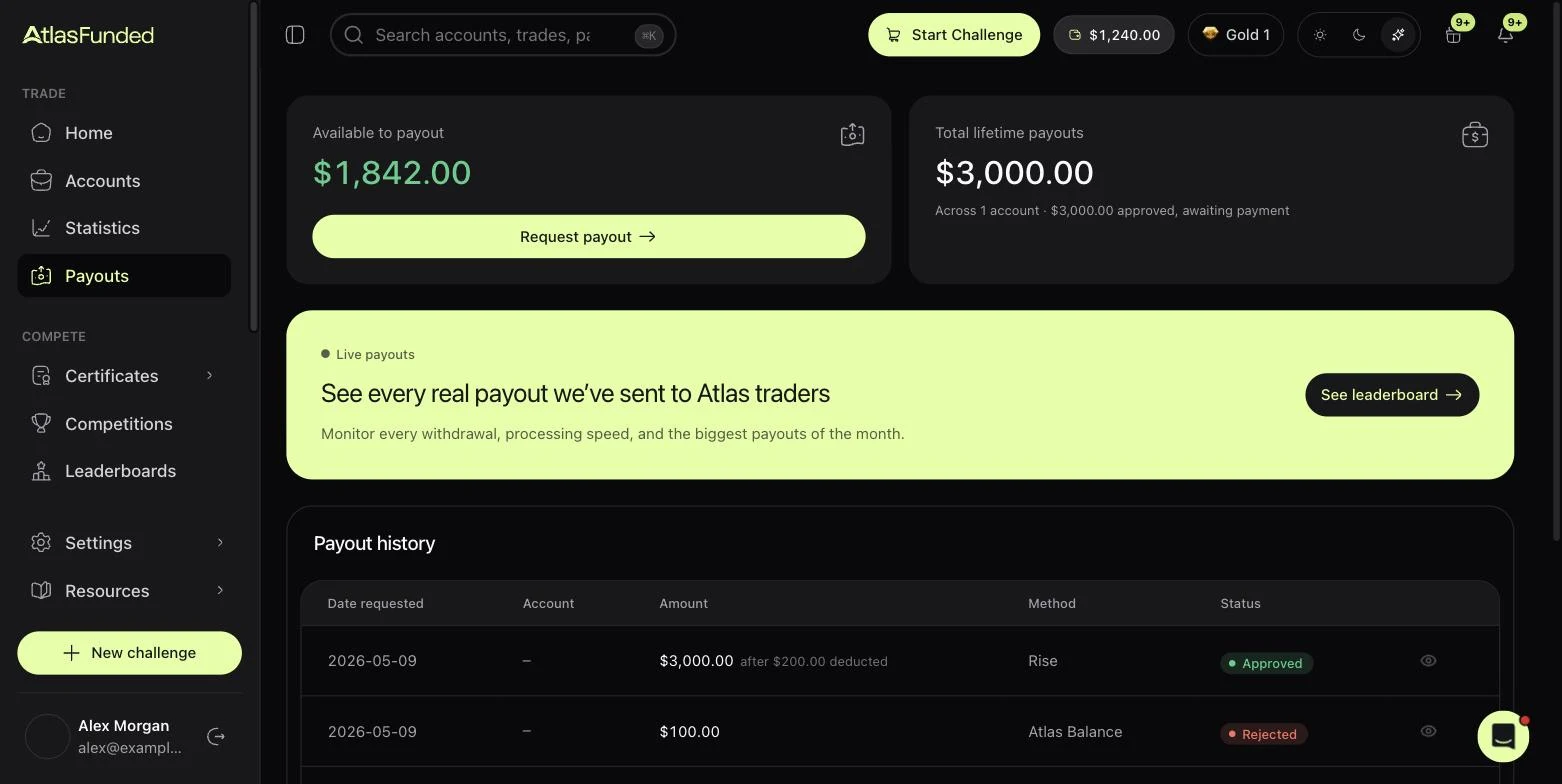
Go to Payouts in the sidebar. Available to payout shows the profit you could withdraw across your funded accounts.
Press Request payout
Pick the account in Select account. The Payout eligibility checklist shows whether it can be paid now, and what is missing if not. See Payout eligibility.
Enter the amount
Type an amount, or press Max. The line below shows your share after the split.
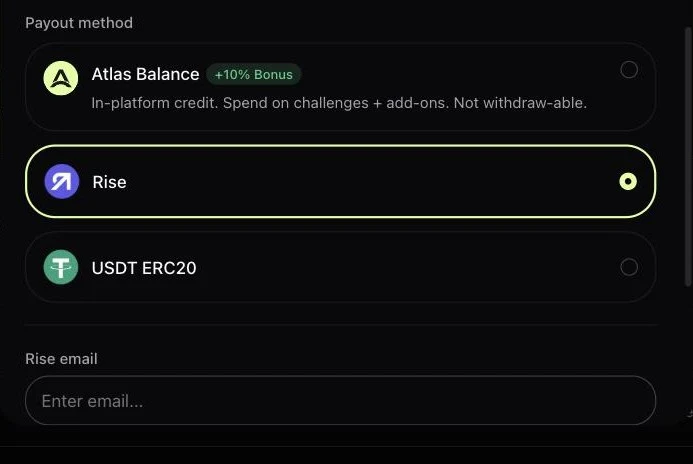
Choose a method
Pick Atlas Balance (a bonus of 10% or more, spend it on Atlas), Rise or USDT ERC20, and enter the details it asks for. See Payout methods.
Submit
Confirm the request. All open positions on the account are closed and it is paused until the payout is resolved. You can follow the status in Payout history.
Payout statuses
| Status | Meaning |
|---|---|
| Requested | Received and waiting for review |
| KYC required | Waiting for you to verify your identity |
| Approved | Approved and queued for payment |
| Processing | Being sent to your method |
| Paid | Sent |
| Rejected | Declined. Open the payout (eye icon) for details, or ask support. |
Last reviewed 27 September 2026. Rules shown are read from the Atlas risk engine.