
Rewards and affiliates
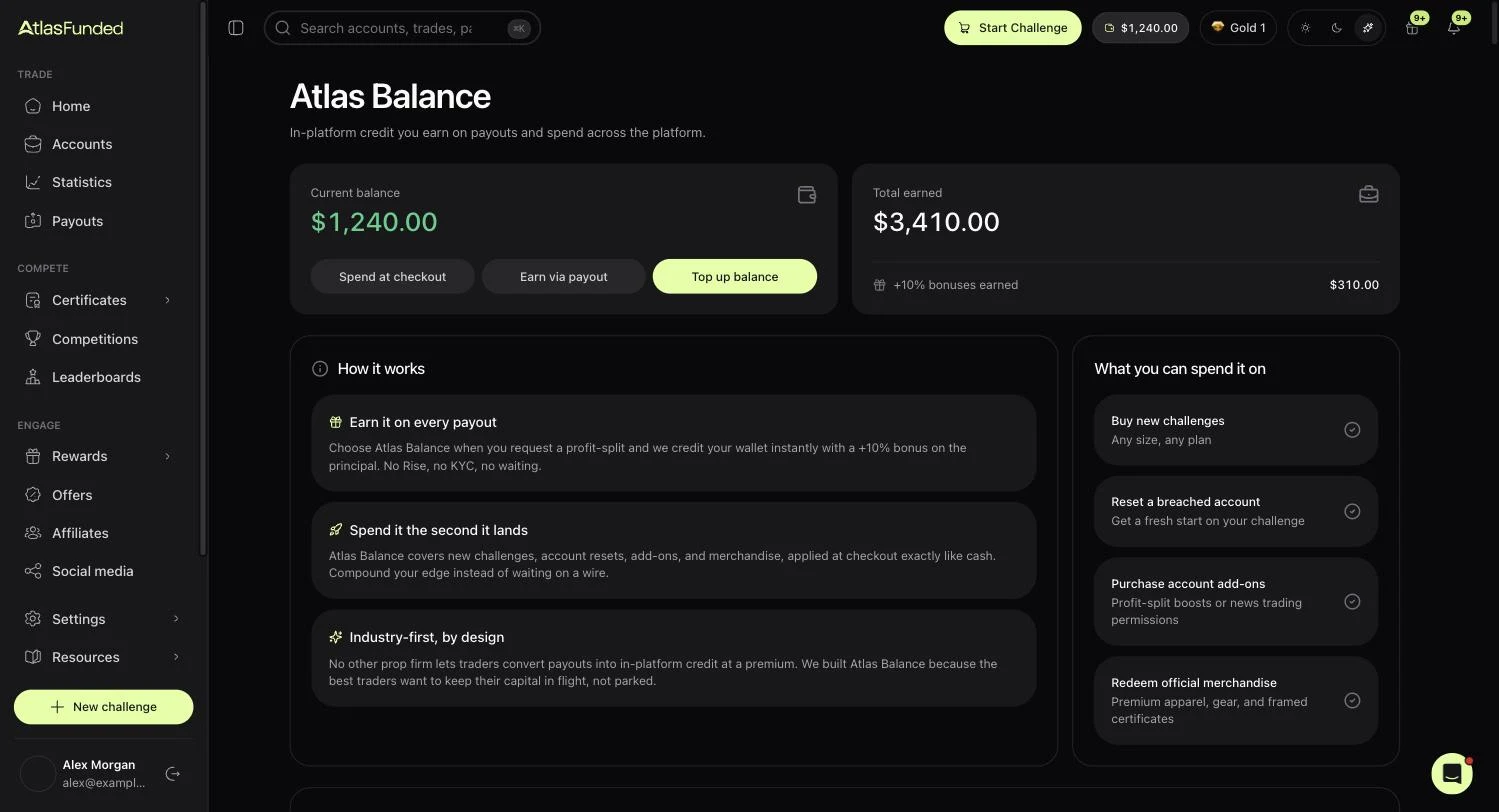
Atlas Balance
Earn Atlas Balance from purchases, payouts, tasks and streaks, and spend it on challenges, packs and rewards.
Atlas Balance is in-platform credit. It shows in the top bar of the dashboard and on Rewards. You can spend it at checkout on challenges and add-ons, and in the reward catalogue. It cannot be withdrawn as cash.
Top up your balance
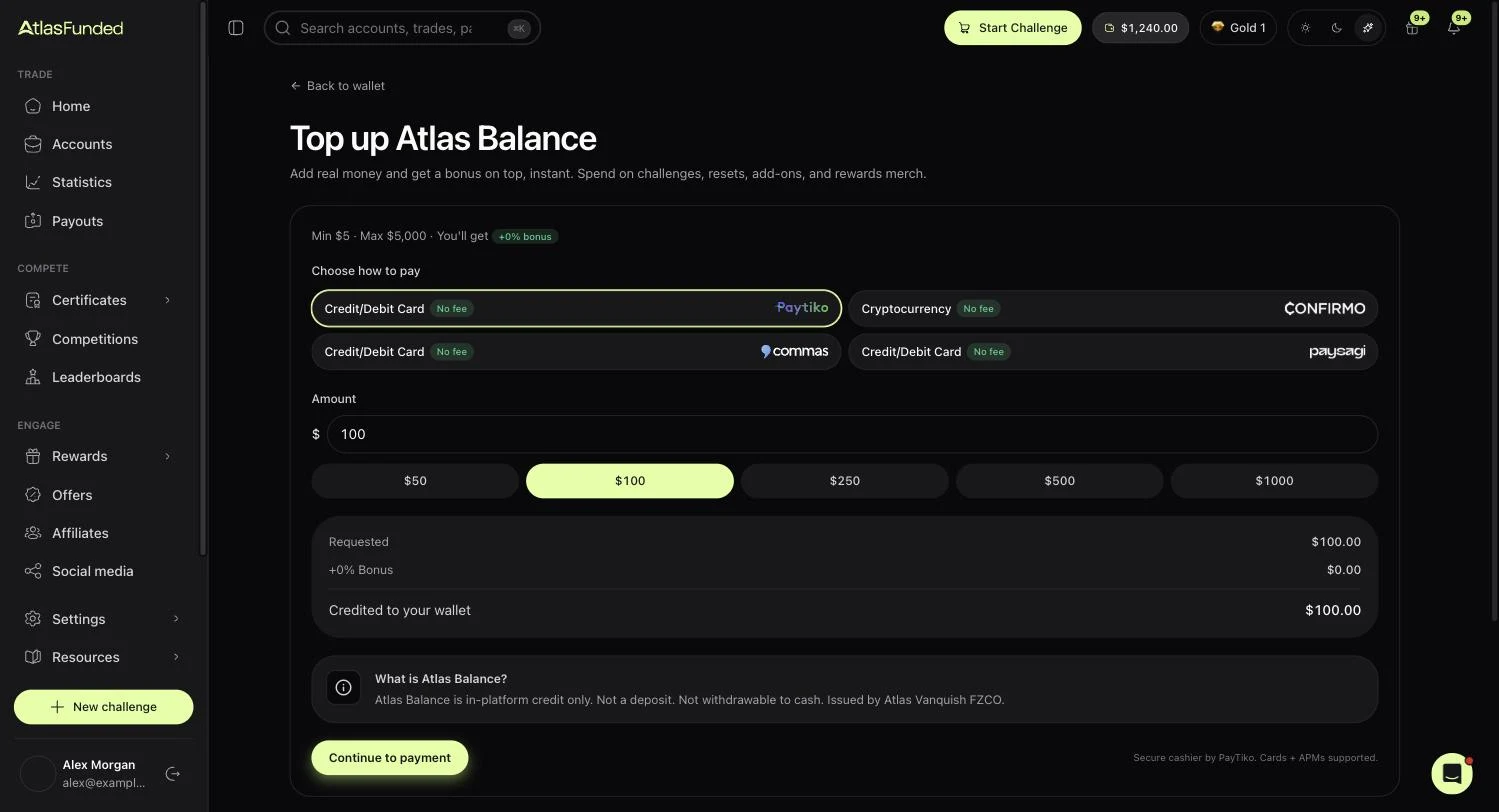
You can add money to Atlas Balance directly, from $5 up to $5,000 at a time.
Open your balance
Click your Atlas Balance in the top bar, then Top up balance.
Choose how to pay
Pay by card or cryptocurrency. Several card processors are offered; pick any of them. None charges a fee.
Enter the amount
Type an amount or pick $50, $100, $250, $500 or $1,000. The summary shows exactly what will be credited.
Pay
Press Continue to payment and complete it on the secure payment page. Your balance is credited as soon as the payment is confirmed. Card payments are usually instant. Crypto takes a few minutes to confirm on-chain, and you can safely leave the page.
Atlas Balance is credit, not a deposit
Money you add becomes in-platform credit. It can't be withdrawn to cash or refunded, and it doesn't expire. Card payments need your billing details on your profile first.
Ways to earn it
- Cashback on new challenge purchases, from 3% and rising with your rank to 10% at Atlas Black.
- Tasks and login streaks listed under Rewards → Tasks.
- Payouts to Atlas Balance pay a bonus on top: 10%, rising with your rank. See Payout methods.
-
Your fee refund arrives as Atlas Balance. See Fee refund.
-
Login streaks pay a little every day you sign in, with bigger rewards on days 7, 14 and 30.
- Rank-up rewards from every VIP rank you reach.
Spending it
- At checkout, on challenges, resets, add-ons and Access funded fees. It can pay the whole order or part of it.
- On Atlas Packs.
- In the Reward catalog under Rewards.
Last reviewed 27 September 2026. Rules shown are read from the Atlas risk engine.