
Getting started
Dashboard tour
What each part of app.atlasfunded.com is for, from the Home overview to Statistics, Payouts and Rewards.
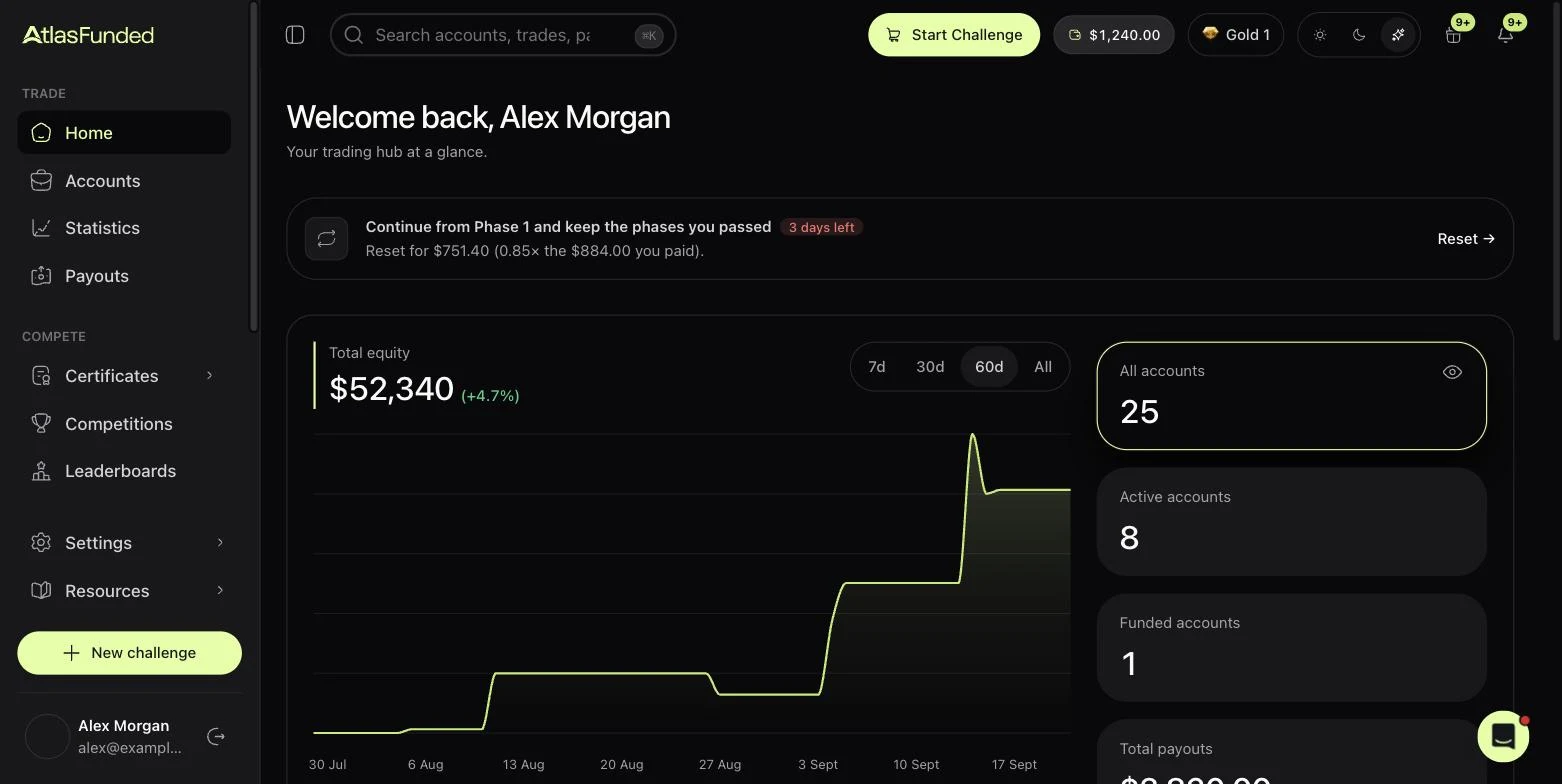
The dashboard at app.atlasfunded.com has a sidebar in three groups (Trade, Compete, Engage) plus Settings and Resources.
CFD/Forex and futures accounts all appear here, side by side.
Trade
| Page | What it is for |
|---|---|
| Home | Total equity over time, counts of active and funded accounts, and time-limited offers like a reset after a breach. |
| Accounts | Every account you own, active and inactive, with starting balance, equity and balance. Filter by market or status. |
| Statistics | One account in detail: equity chart, drawdown floors, trading days, payout countdown, consistency, news windows and trade history. See Reading your Statistics page. |
| Payouts | What you can withdraw now, request a payout, and payout history. See Request a payout. |
Compete
| Page | What it is for |
|---|---|
| Certificates | Achievement and payout certificates you can share. |
| Competitions | Trading competitions you can enter. |
| Leaderboards | Rankings and recent payouts across Atlas traders. |
Engage
| Page | What it is for |
|---|---|
| Rewards | Your Atlas Balance, rank, tasks and the reward catalogue. |
| Offers | Discounts available to your account. |
| Affiliates | Your referral link and commissions. |
Settings and Resources
- Settings → Profile holds your identity, KYC, saved payout details, billing, security and Connect with AI.
- Settings → Contracts lists every agreement you have signed.
- Resources has the Academy, Downloads for each platform, Tools such as the calculators, and Rules & FAQ, the in-dashboard rules page.
The top bar has global search (⌘K), Start Challenge, your Atlas Balance, your rank, notifications and a light or dark theme switch.
Last reviewed 27 September 2026. Rules shown are read from the Atlas risk engine.