
Using your dashboard
Reading your Statistics page
Every card on the Statistics page, what it measures and how to use it to stay inside the rules.
Statistics shows one account at a time, CFD/Forex or futures. For how futures limits work, see futures rules at a glance. Switch accounts with the selector in the top-right, next to Credentials.
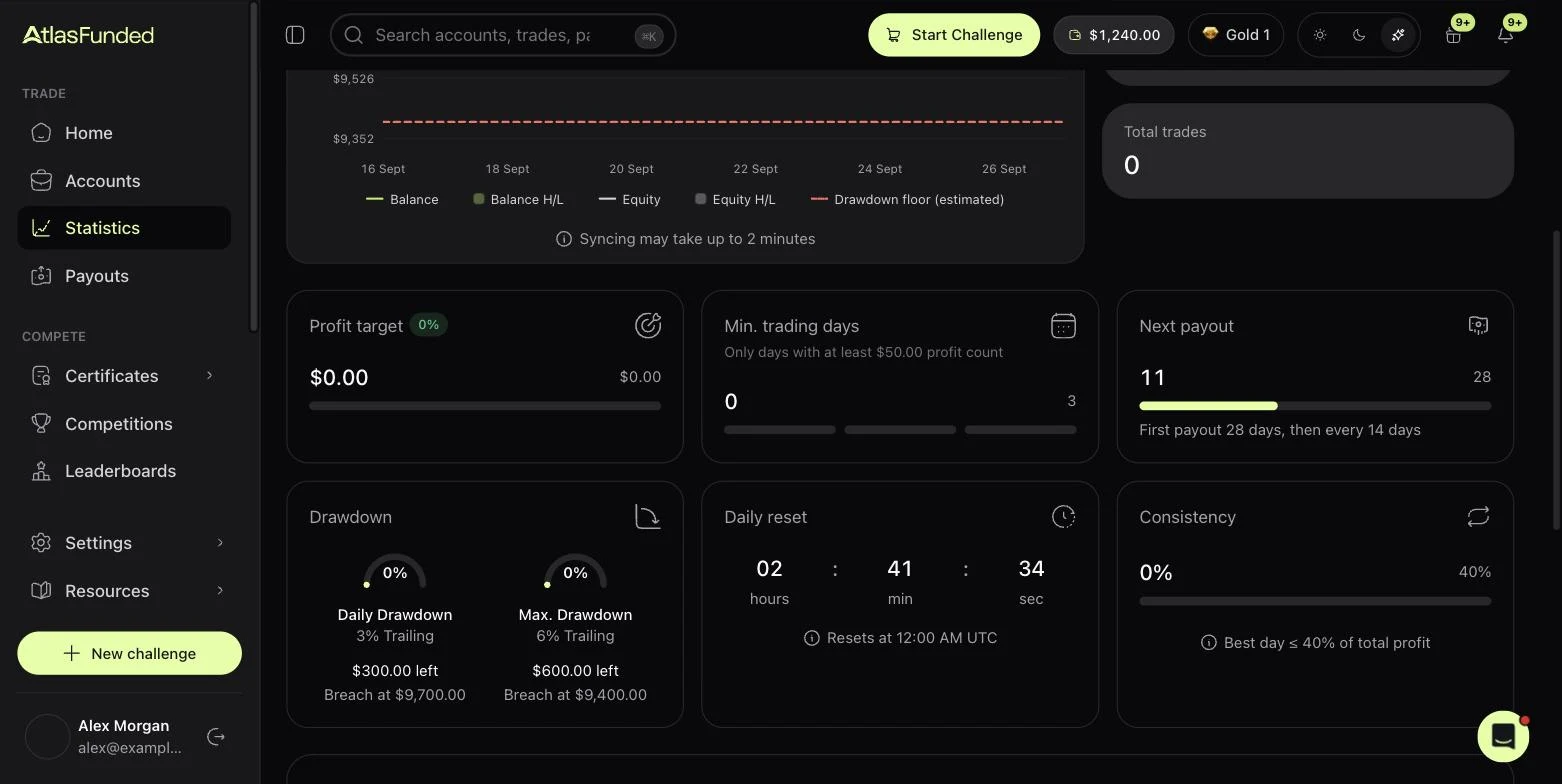
The cards
| Card | What it tells you |
|---|---|
| Profit target | Evaluation only. How far your closed balance is from the target, in dollars and %. |
| Min. trading days | Days counted so far and days needed. On funded accounts it shows the profit a day needs to qualify ("Only days with at least $50.00 profit count"). |
| Next payout | Days elapsed in the payout window, and the cycle ("First payout 28 days, then every 14 days"). |
| Drawdown | Two gauges: Daily Drawdown and Max. Drawdown. Each shows the limit and its type, the dollars left, and the exact Breach at equity. |
| Daily reset | Countdown to 00:00 UTC, when the daily limit re-anchors. |
| Consistency | Your best day's share of the cycle profit, against the limit. Only on programs with a consistency rule. |
The chart
Balance & Equity plots your balance, equity, their highs and lows, and the drawdown floor as a red dashed line. Daily P&L and Calendar show each day's result. Data can take up to two minutes to sync from the platform.
News and trades
- Upcoming news restrictions lists the high-impact events that will restrict funded trading, with a countdown. See News trading.
- Positions, History and Payouts tabs show open trades, closed trades and this account's payouts.
Credentials
Credentials shows your platform login, server and password. See Sign and get your login.
Last reviewed 27 September 2026. Rules shown are read from the Atlas risk engine.