
Getting started
Buy a challenge
Choose a program, size and platform, add optional add-ons, and pay. Your account is created automatically.
You can buy from Start Challenge in the dashboard's top bar, New challenge in the sidebar, or atlasfunded.com. Both use the same live catalogue and prices.
Buying futures
Futures are bought at the same checkout: pick Futures as the market in step 1. The steps below show a CFD/Forex purchase. See Atlas Futures for the futures programs.
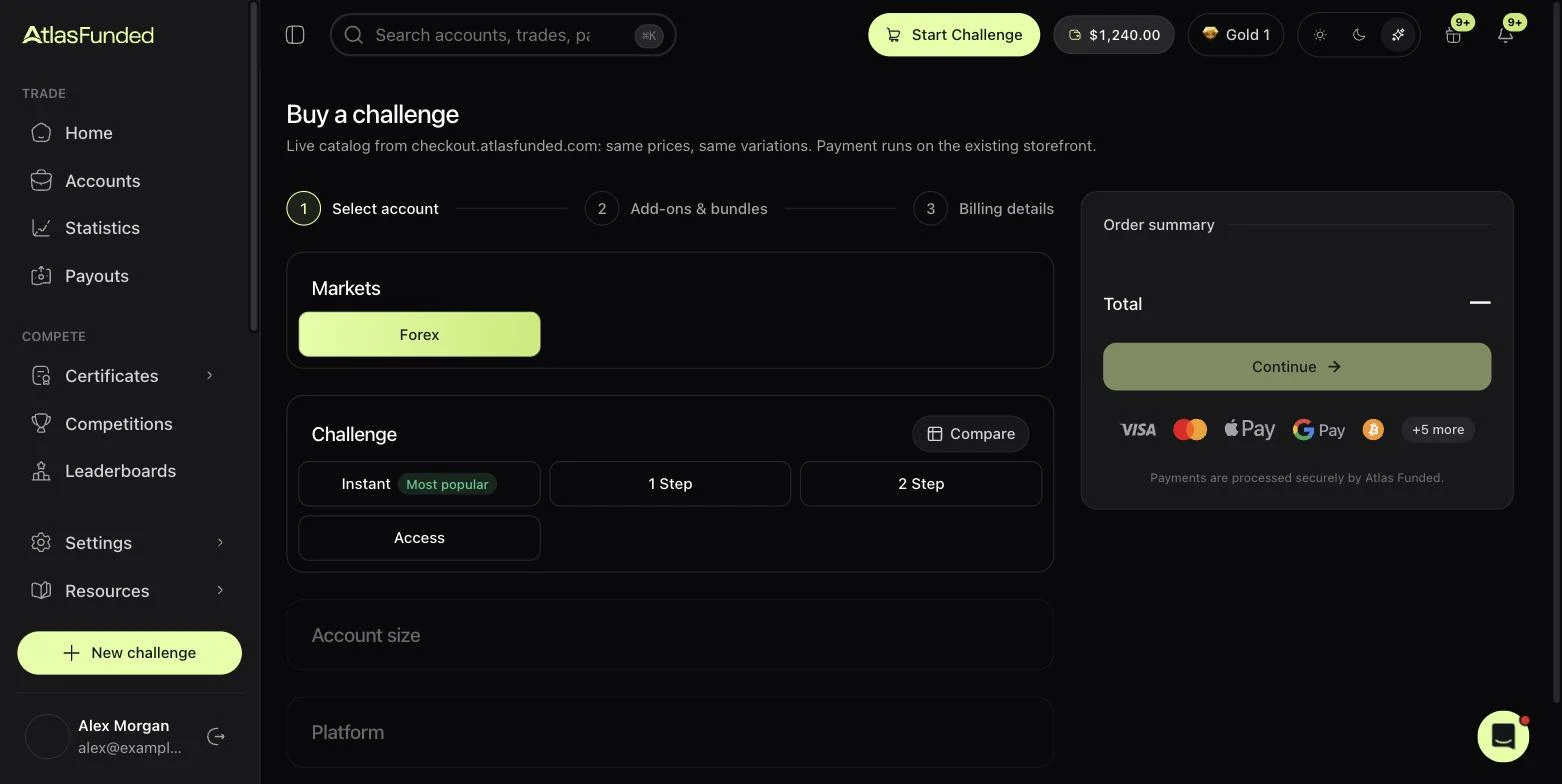
Pick the challenge
Choose Instant, 1 Step, 2 Step or Access. For Instant, 1 Step and 2 Step you then pick a type: Instant offers Instant Funded and Instant Zero; 1 Step and 2 Step offer Standard and Pro. Not sure which? See Compare programs.
Pick the account size and platform
Each size shows its price. Then choose MetaTrader 5, TradeLocker or Match-Trader. The rules are identical on all three platforms. See Trading platforms.
Check the rules before you pay
View rules in the order summary shows this exact account's targets and limits in dollars. It is worth a look: the figures are the ones the engine will enforce.
Add-ons, bundles and promo codes
Step 2 offers optional add-ons such as weekly payouts or a 100% split. Buying more than one account unlocks a bundle discount, shown per account in the order summary. Enter a promo code in the summary if you have one.
Billing and payment
Enter your billing details and pay by card, Apple Pay, Google Pay, crypto or another listed method. Your account appears on the Accounts page shortly after payment.
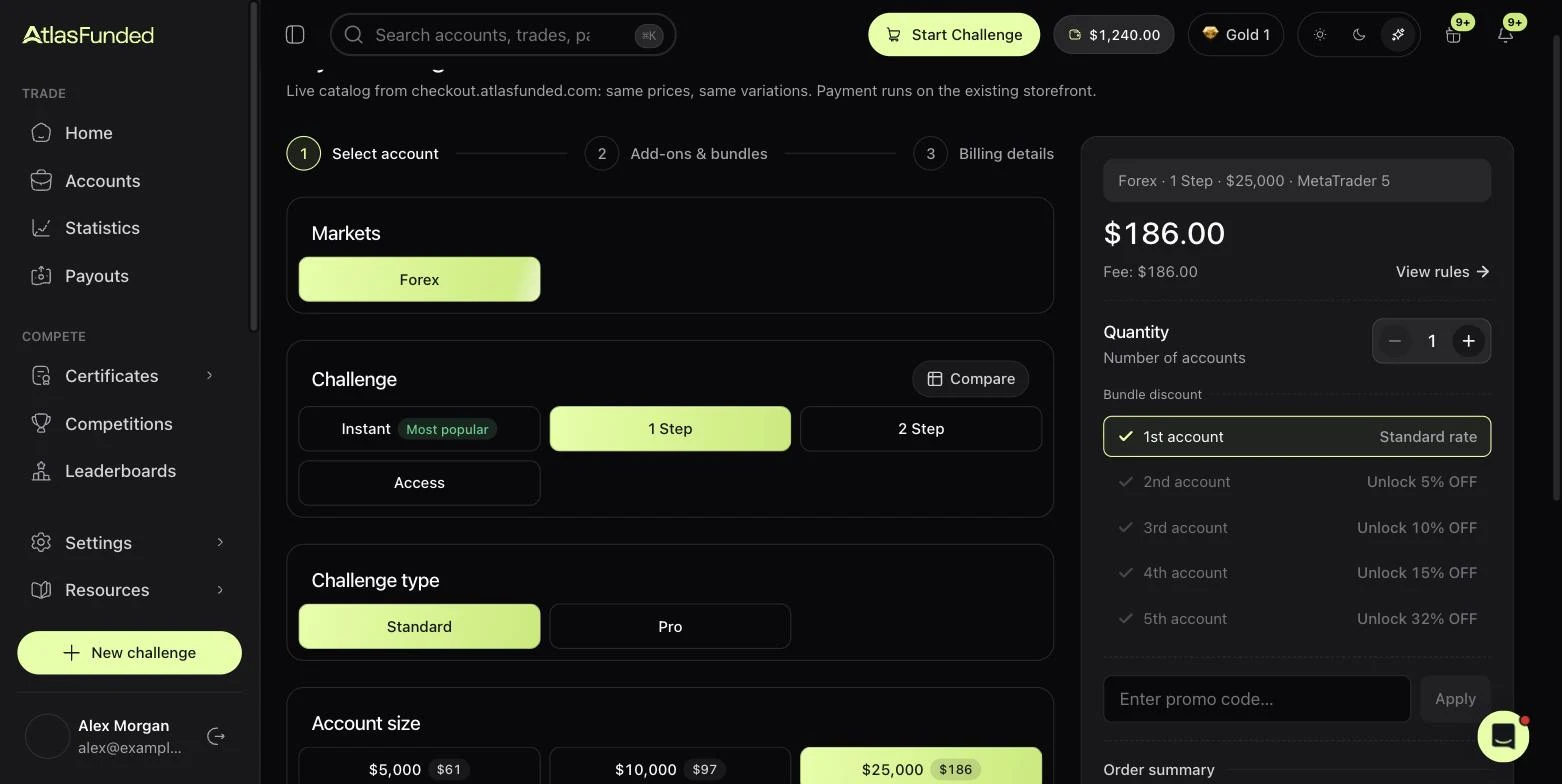
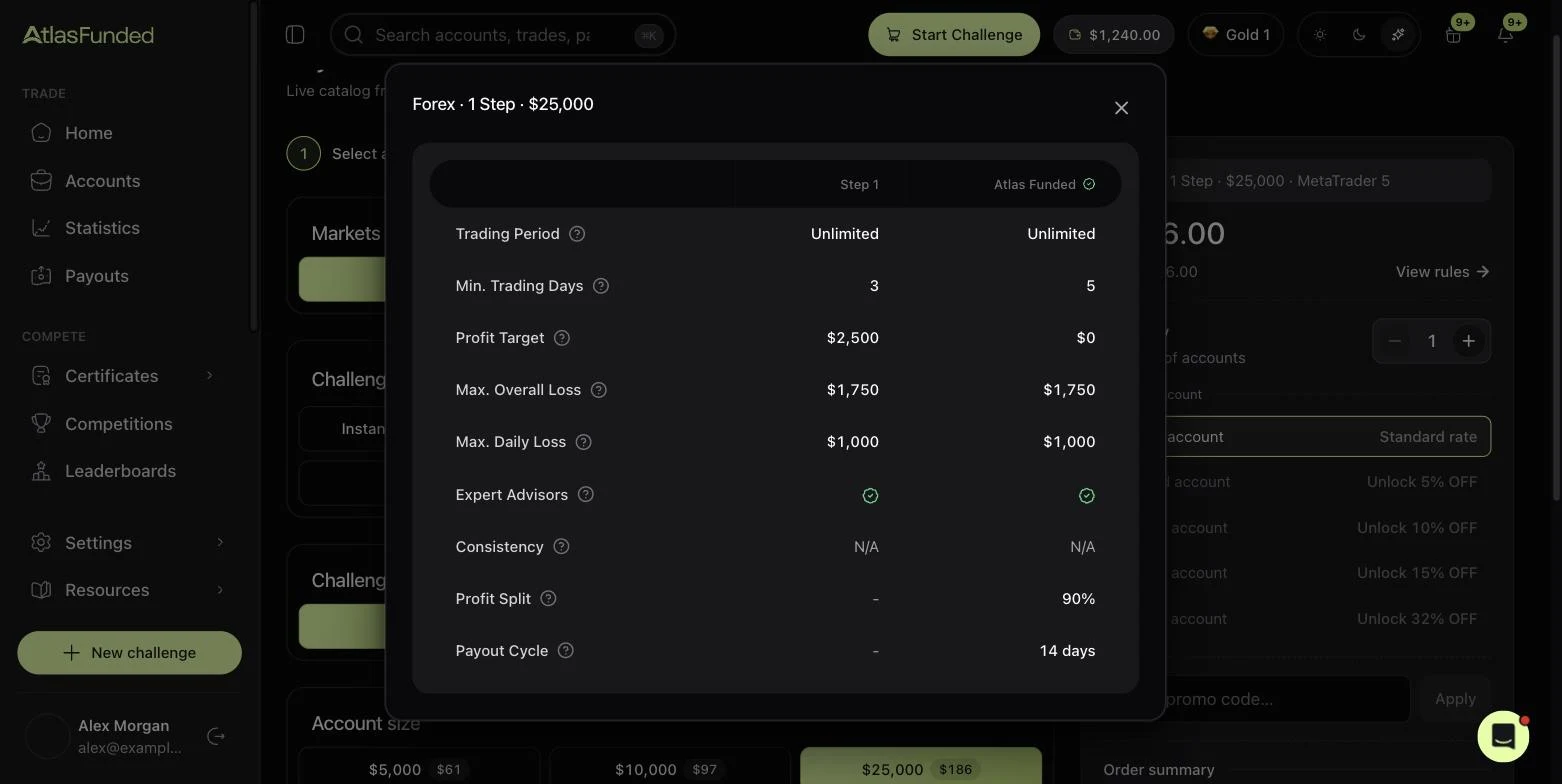
Prices change, rules don't
This site does not quote prices, because promotions move them. The checkout always shows the current price. The rules for a program are the same at every size and on every platform.
Last reviewed 27 September 2026. Rules shown are read from the Atlas risk engine.